
User Guide
Quota & Top Up
Quota is the platform's internal billing unit, with multiple top-up methods supported
Quota is the platform's internal billing unit. Consumption = actual token count × model multiplier. Click "Top Up" in the left sidebar, or visit /console/topup directly.
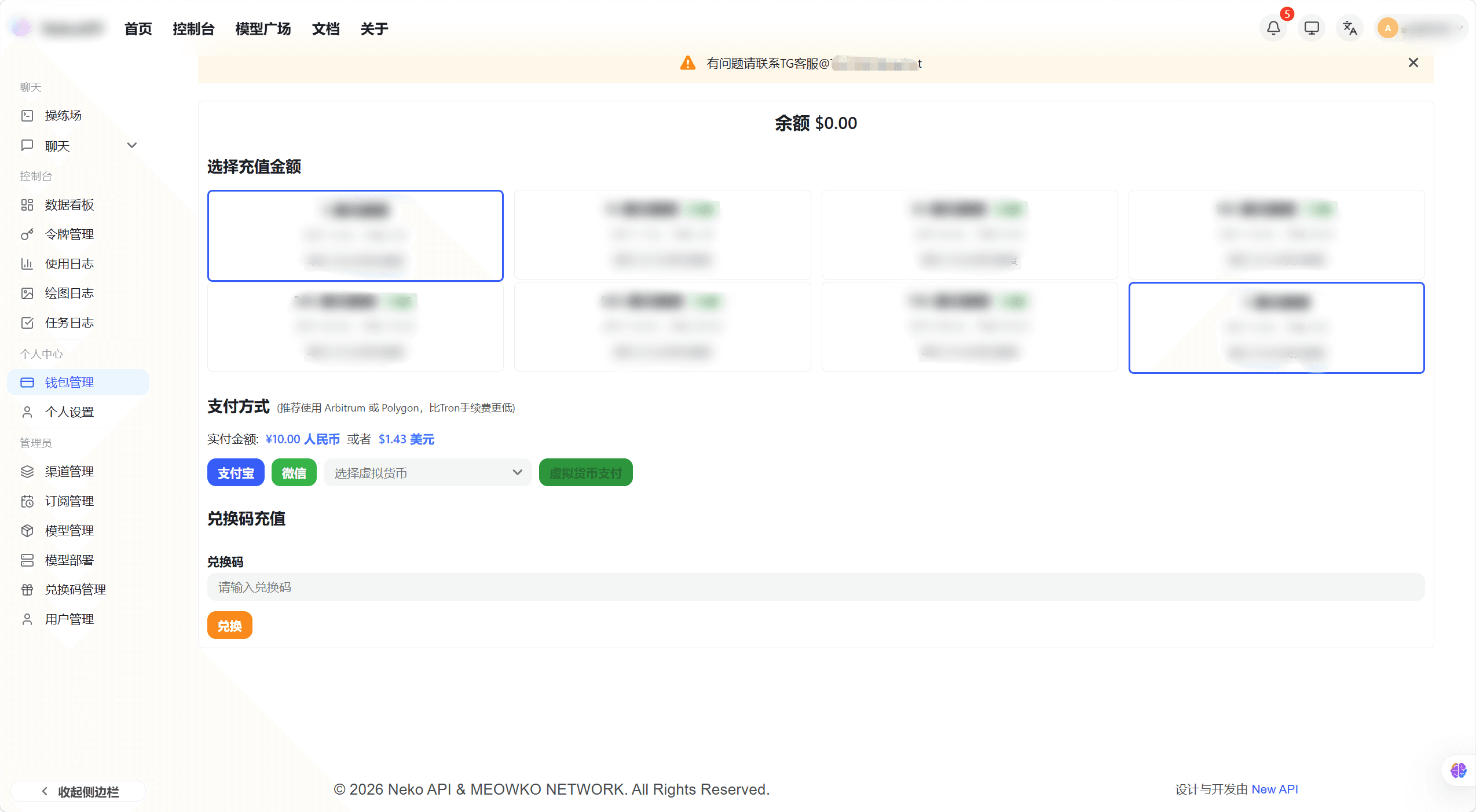
Supports online payment and redemption codes to add quota to your account.
| Method | Description |
|---|---|
| Redemption Code | Enter an admin-generated code to add quota directly |
| EPay | Domestic aggregated payment (Alipay, WeChat Pay, etc.) |
| Stripe | International credit card payment |
| Creem / Waffo | International payment platforms |
Online Payment Top-Up
- Select a top-up amount on the top-up page, or enter a custom amount manually
- Select a payment method (EPay / Stripe / Creem / Waffo)
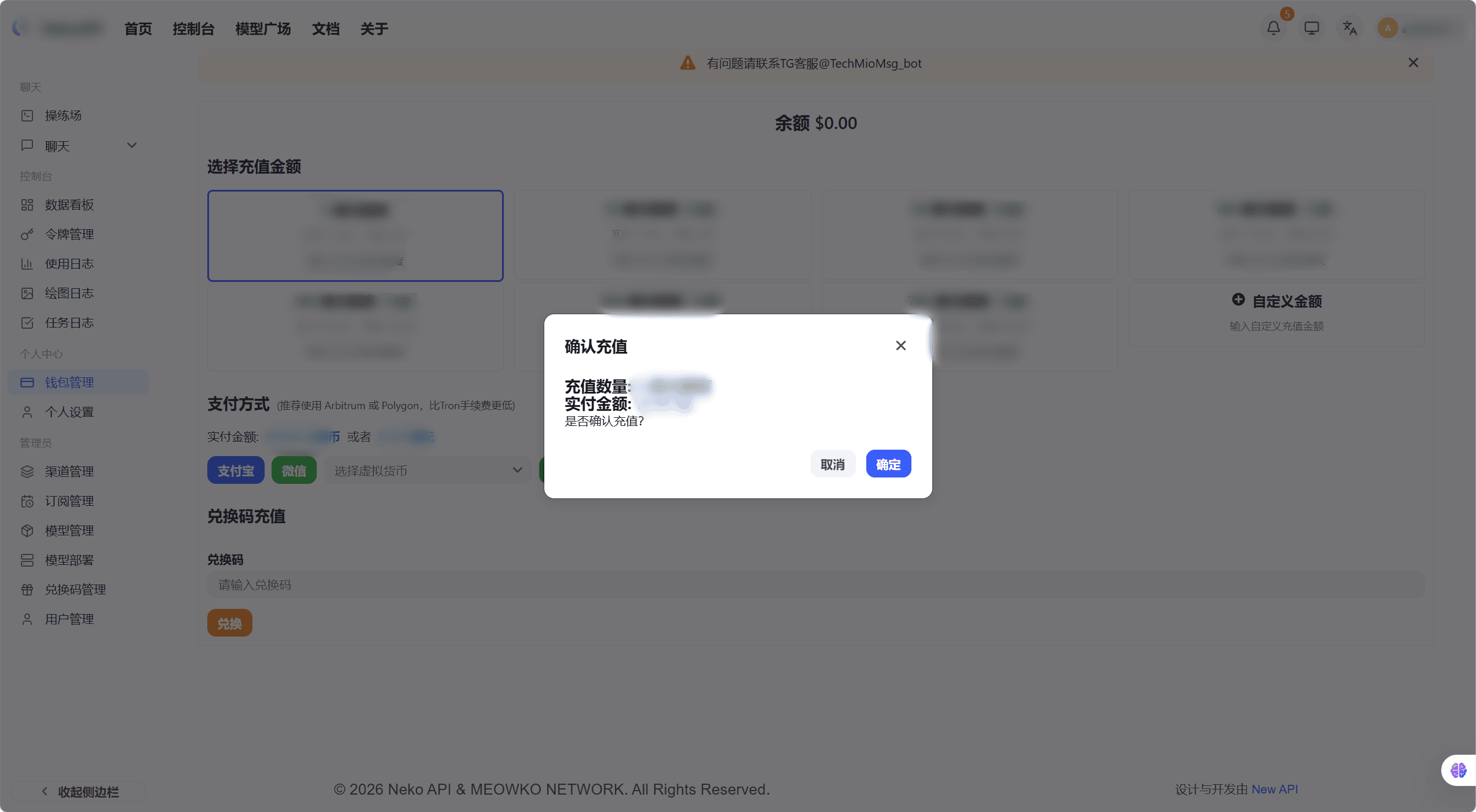
- Click "Top Up" — the page redirects to the corresponding payment platform
- Complete payment on the payment platform — you are redirected back automatically and your account balance updates
Redemption Code Top-Up
- Find the "Redemption Code" input area on the top-up page
- Paste or type the redemption code provided by an admin
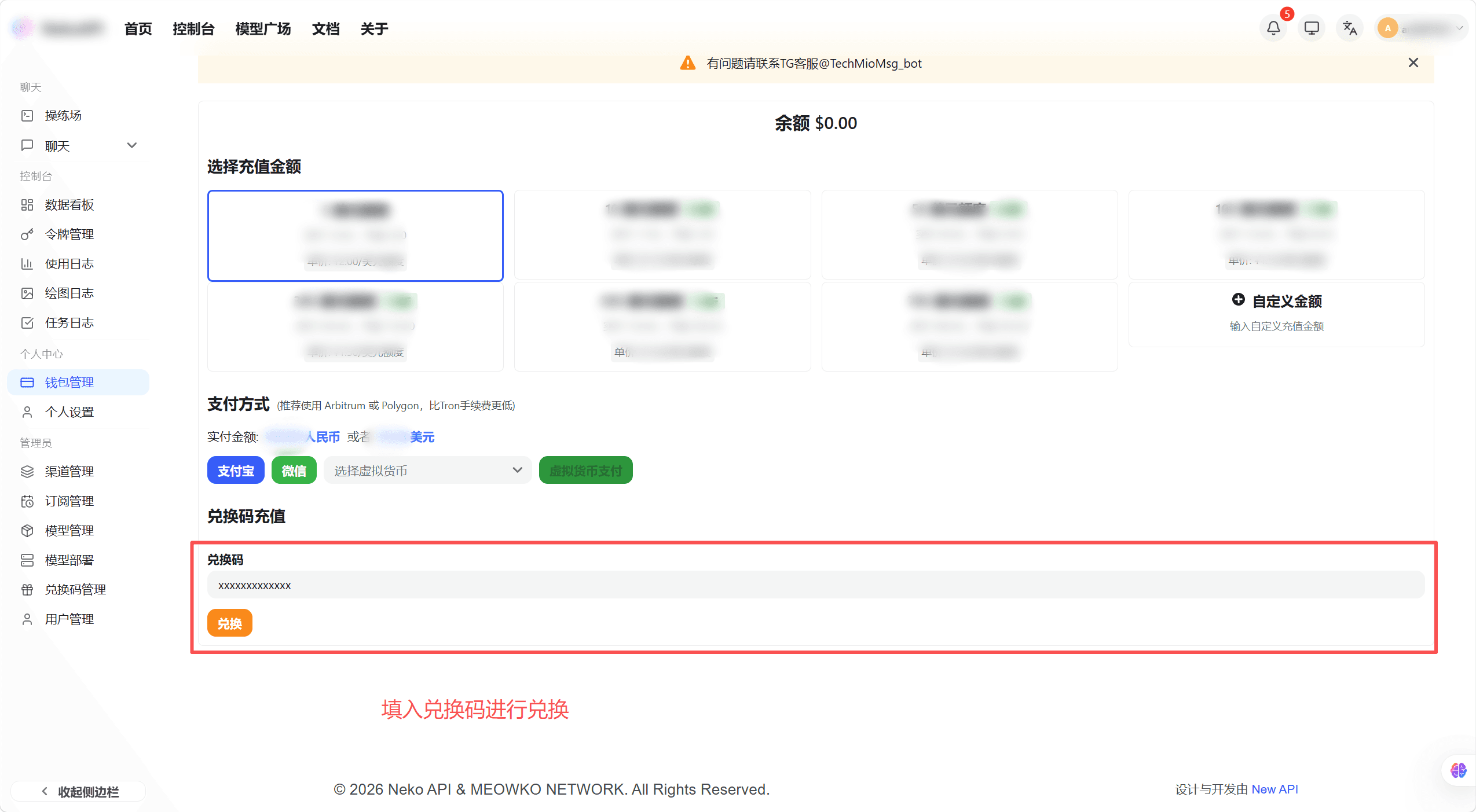
- Click "Redeem" — the system validates the code
- On success, the page shows the quota amount earned and your account balance updates
Referral Rewards
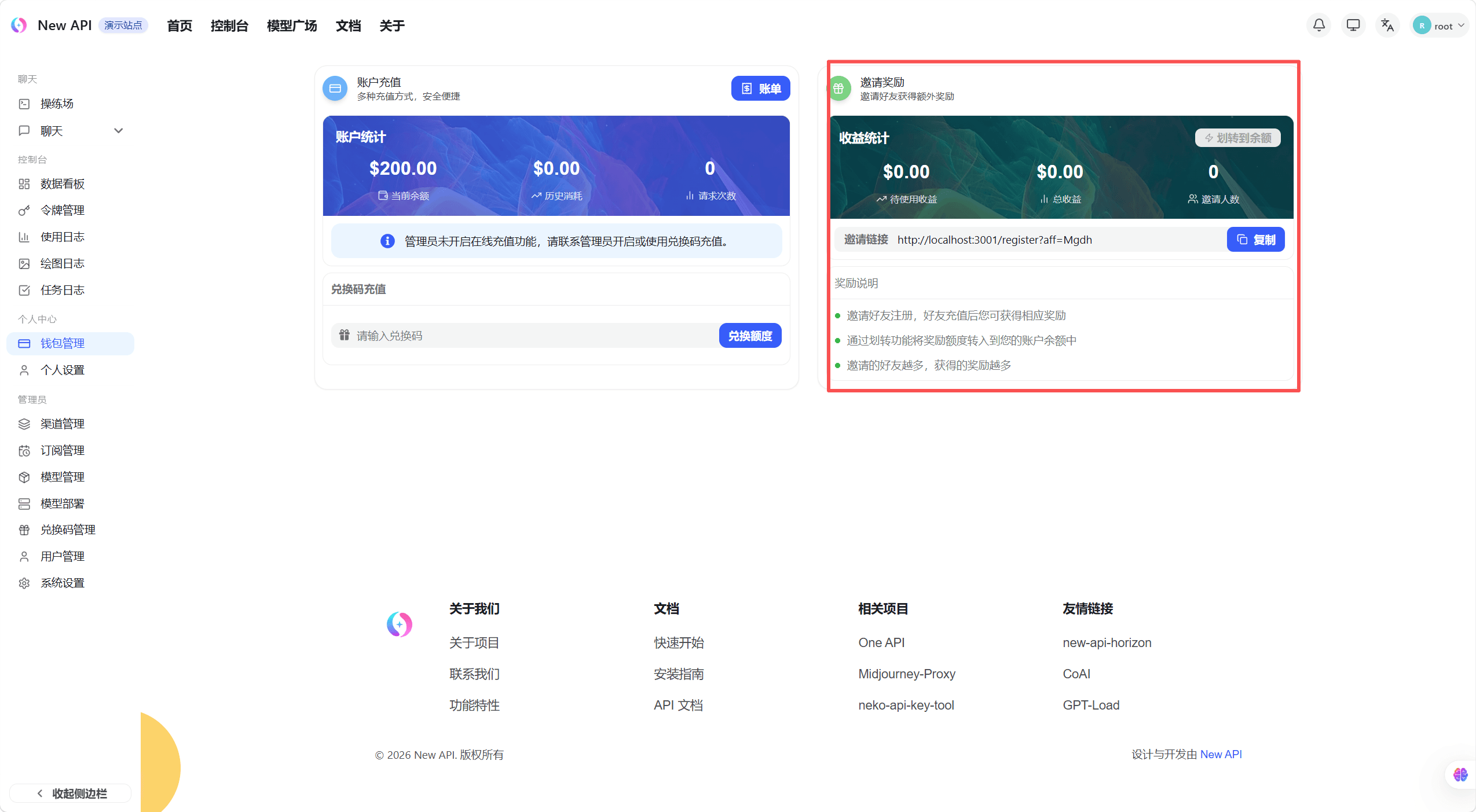
Every account has a unique referral code. When someone registers successfully using your referral code, you will earn referral rewards.
Get Referral Code
Find the "Referral" section on the top-up page or in Personal Settings, and copy your unique referral code.
Referral Reward Mechanism
- Immediate Rebate upon Registration: When a referred user registers successfully using your referral code, you (the inviter) will immediately receive an "Invitation Reward Quota" configured by the system (one-time credit).
- Transfer to Main Balance: Click the "Transfer to Balance" button to move your accumulated reward quota into your main account balance for use.
How is this guide?
Last updated on