
Feature Guide Overview
New API feature guide, organized into User Guide and Admin Guide.
New API is a unified AI model interface management and distribution system. It supports converting various large models into a unified calling format, compatible with formats like OpenAI and Claude. It can be used by individuals or enterprises for internal management and channel distribution, offering capabilities such as a playground, OpenAI-compatible interfaces, model and channel routing, usage logs, billing, subscriptions, and system operations.
- This guide is divided into two parts based on roles: User Guide and Admin Guide.
System Homepage
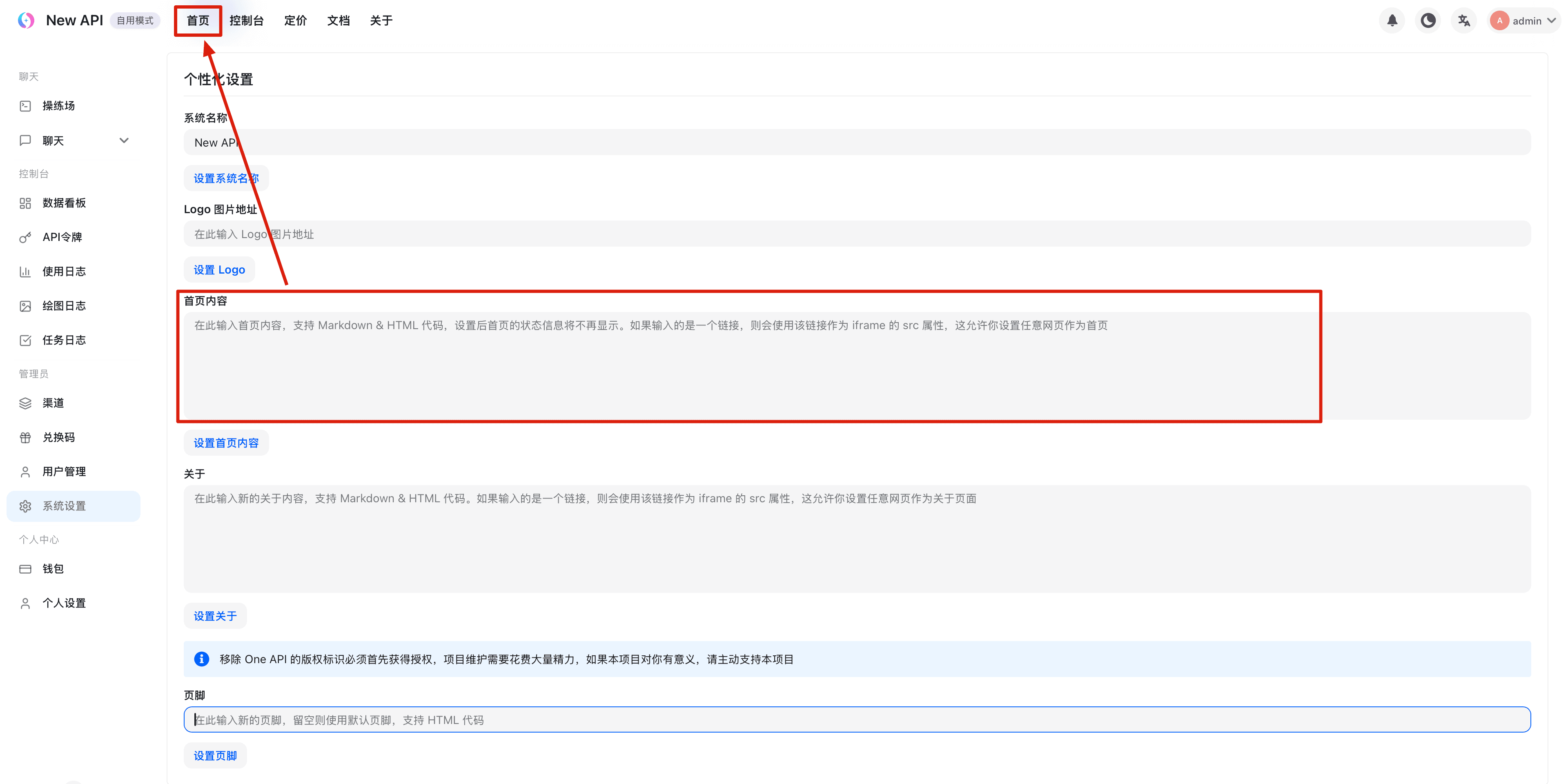
Role Description
The platform controls menu access and operation permissions based on account roles, which are divided into three types:
-
Regular User
The default role after registration, with access to personal features open on the platform, such as Playground, Chat Presets, Overview, Data Dashboard, API Keys, Logs, Wallet, and Profile.
Entries like top navigation, sidebar modules, and check-in are controlled by the Super Administrator (Root) configuration. “Site & Branding Settings” → -
Administrator (Admin)
Building upon regular user permissions, Admin can by default access management resources such as Channels, Models, Users, Redemption Codes, and Subscriptions.
Resources like Channels also distinguish actions such as read, operate, normal write, sensitive write, and view key. The Super Administrator (Root) can set permission overrides for Admin accounts to manage available permissions. “Site & Branding Settings” → -
Super Administrator (Root)
Root has all permissions, with additional access to System Info/system-infoand System Settings/system-settings/site.
System settings are divided into seven configuration domains: Site & Branding, Authentication, Billing & Payments, Models & Routing, Security & Restrictions, Console Content, and Operations.
User Guide
Applicable to Regular Users, Admin, and Root, covering common processes such as registration, creating API keys, calling models, viewing logs, and managing personal accounts.
Registration and Login
Learn about registration, account password login, forgotten password reset, Passkey, third-party OAuth, and login session management.
- Account Password Login
- Passkey and Third-Party OAuth Login
- Registration Process
- Login Session Management
- Forgotten Password Reset
Overview and Data Dashboard
The overview page provides module information such as a quick start guide, API request examples, balance and usage summary, performance health, announcements, FAQ, and operational status.
The data dashboard offers model call analysis, traffic splitting, and user analysis (Admin and Root only).
- Quick Start Guide
- Usage and Health Status
- API Information, Announcements, FAQ, and Uptime
- Model Call Analysis
- Traffic Splitting
- User Statistics
Profile and Security
View or manage personal settings such as account information, binding information, notification and behavior preferences, security settings, 2FA management, Passkey management, and login session management.
- View Account Information
- Manage Account Binding Information
- Set Notification and Behavior Preferences
- Set Interface Language Preference
- Personal Left Sidebar Custom Display Settings
- Daily Check-in
- Security Settings
- Enable or Disable Two-Factor Authentication (2FA)
- Enable or Disable Passkey Passwordless Login
- Login Session Management
API Keys
Manage API Keys. API Keys are credentials for calling gateway APIs and can be configured with parameters such as quota, expiration time, model restrictions, groups, Auto Group order, cross-group retry, and IP whitelist.
- Create API Key
- View and Copy API Key
- Edit API Key
- Enable, Disable, and Delete API Key
Using API and Playground
Use the Playground to test and experience AI models online; or use API Keys with OpenAI-compatible interfaces to call endpoints for Claude, Gemini, Responses, images, audio, etc.
- Playground
- API Address and Authentication
- SDK Examples
- Supported Interface Endpoints
Chat Application Integration
New API supports quick configuration import into various AI chat applications for convenient testing and daily use.
- There are three ways to integrate chat with New API:
- One-click import of chat preset configuration
- One-click import of API Key configuration
- Manual configuration of chat applications
Logs and Asynchronous Tasks
View usage logs, drawing logs, and asynchronous task logs, filtering log information by request, model, status, Token, duration, errors, results, and billing.
- Usage Logs
- Drawing Logs
- Asynchronous Task Logs
- Task Status and Background Processing
- API Reference: Log Query Interface, Asynchronous Generation and Task Interface
Wallet and Subscriptions
View and manage wallet balance, online top-up balance, redemption code balance, view order history, subscription plans, view and claim invitation rewards, and select billing preferences. Payment methods, amounts, discounts, rewards, plans, and billing rules are all configured by the platform administrator.
- View Balance and Usage
- Online Top-up
- Redemption Codes
- Subscription Plans
- Purchase Subscription Plan
- View Subscription Status
- Select Billing Preferences
- Invitation Rewards
- Order History
- Common Restrictions
Model Marketplace and Leaderboard
Browse pricing information and status of AI models enabled on the platform; view usage rankings and trends for platform models and providers.
- Model Marketplace
- Leaderboard
Admin Guide
Applicable to Admin and Root roles, covering all functions for platform operations and system configuration.
Channel Management
Configure AI service provider channels, supporting strategies such as multi-key polling, priority, and automatic disabling.
- Add New Channel
- Configure Channel Parameters
- Channel Testing
- Batch Operations
- Multi-Key Mode Configuration
User Management
View and manage all users, modify roles, groups, quotas, and enable or disable accounts.
- View User List
- Edit User Information
- Modify User Role
- Adjust User Quota
- Search Users
Redemption Code Management
Batch generate and manage quota redemption codes.
- Batch Generate Redemption Codes
- Set Redemption Code Denomination
- Export Redemption Codes
- View Usage Status
Log Management
View site-wide API call logs and user operation records.
- View Site-wide Logs
- Advanced Filtering
- Data Statistical Analysis
Subscription Management
Create and manage subscription plans.
- Create Subscription Plan
- Edit Plan Information
- Manage Subscribed Users
Model Management
Configure model pricing and availability.
- Set Model Ratio
- Enable or Disable Model
- Batch Modify Pricing
Group Management
Create user groups to achieve differentiated billing and channel allocation.
- Create User Group
- Configure Group Ratio
- Allocate Channels
System Settings (Root Exclusive)
Root-exclusive global configuration center, covering parameters such as site information, billing rules, payments, and OAuth.
- Site Basic Information
- Billing Rule Configuration
- Payment Method Configuration
- Email Service Configuration
- Registration and Login Settings
Advanced System Configuration (Root Exclusive)
Detailed configuration options for system settings, including advanced features such as payments, rate limiting, chat, and drawing.
- Payment Settings (EPay, Stripe)
- Rate Limiting Settings
- Ratio Settings
- Chat Settings
- Drawing Settings
- Data Dashboard Settings
- Model Settings
- Operations Settings
Custom OAuth (Root Exclusive)
Configure custom OAuth login providers.
- Add OAuth Provider
- Configure OAuth Parameters
- Test OAuth Login
Performance Monitoring (Root Exclusive)
View system performance metrics and operational status.
- View System Load
- Monitor Channel Performance
- Analyze Response Time
Documentation Configuration (Root Exclusive)
Configure the display content of the documentation site.
- Customize Documentation Content
- Configure Documentation Links
How is this guide?
Last updated on