
API Keys
API keys are credentials for calling New API. Create and manage each key by setting quotas, models, groups, and source restrictions.
Click 'API Keys' in the left navigation, or directly visit /keys. The page displays information such as key name, masked key, enabled status, quota usage, and group, and supports filtering, copying, editing, enabling/disabling, and batch deletion. The row menu also allows copying connection information, opening admin-configured chat presets, and sending the key to supported client integrations.
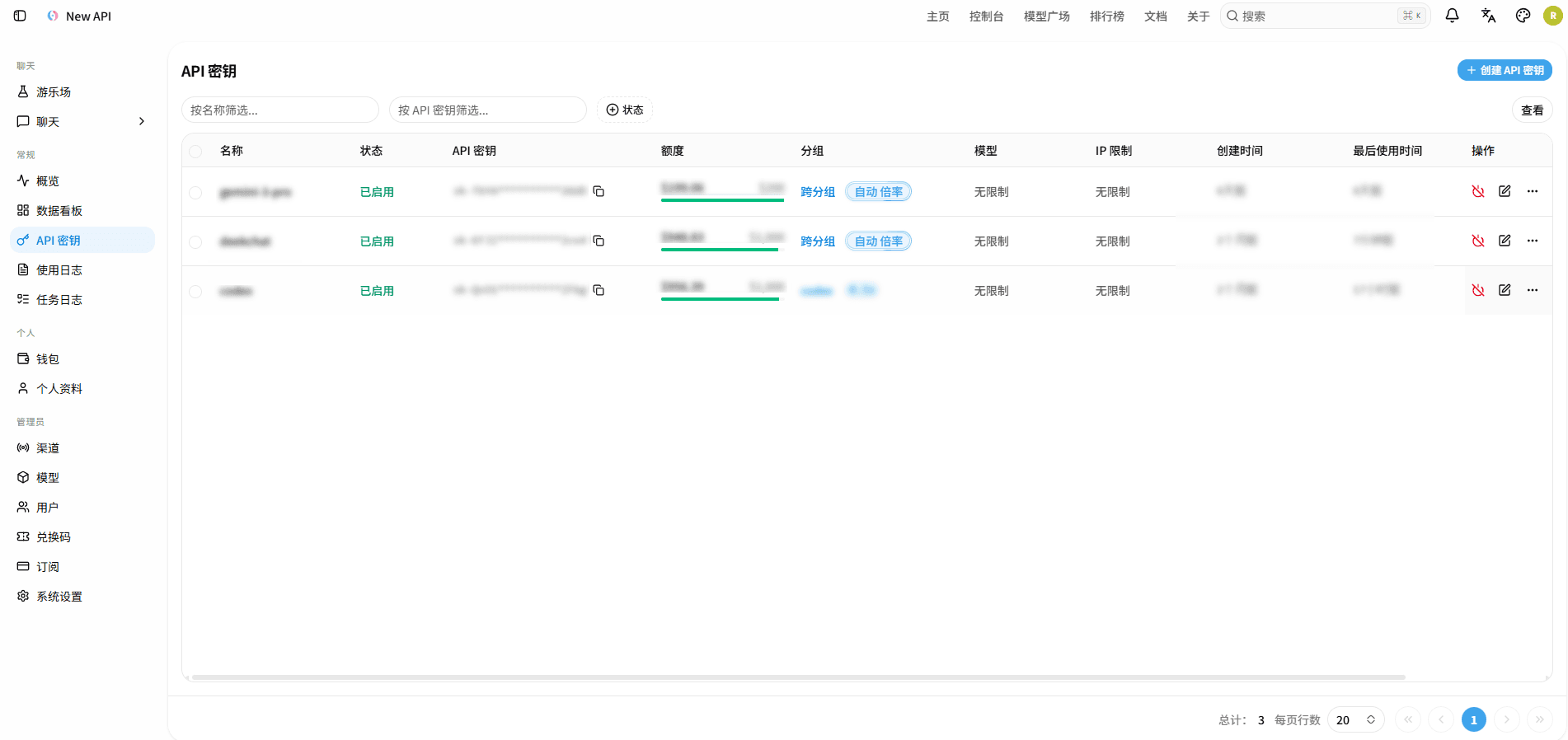
Create API Keys
- Open 'API Keys' and click 'Create API Key'.
- Fill in the key name to easily distinguish applications or environments.
- Set quota, expiration time, model restrictions, IP restrictions, and groups as needed.
- After saving, view and copy the complete key from the list.
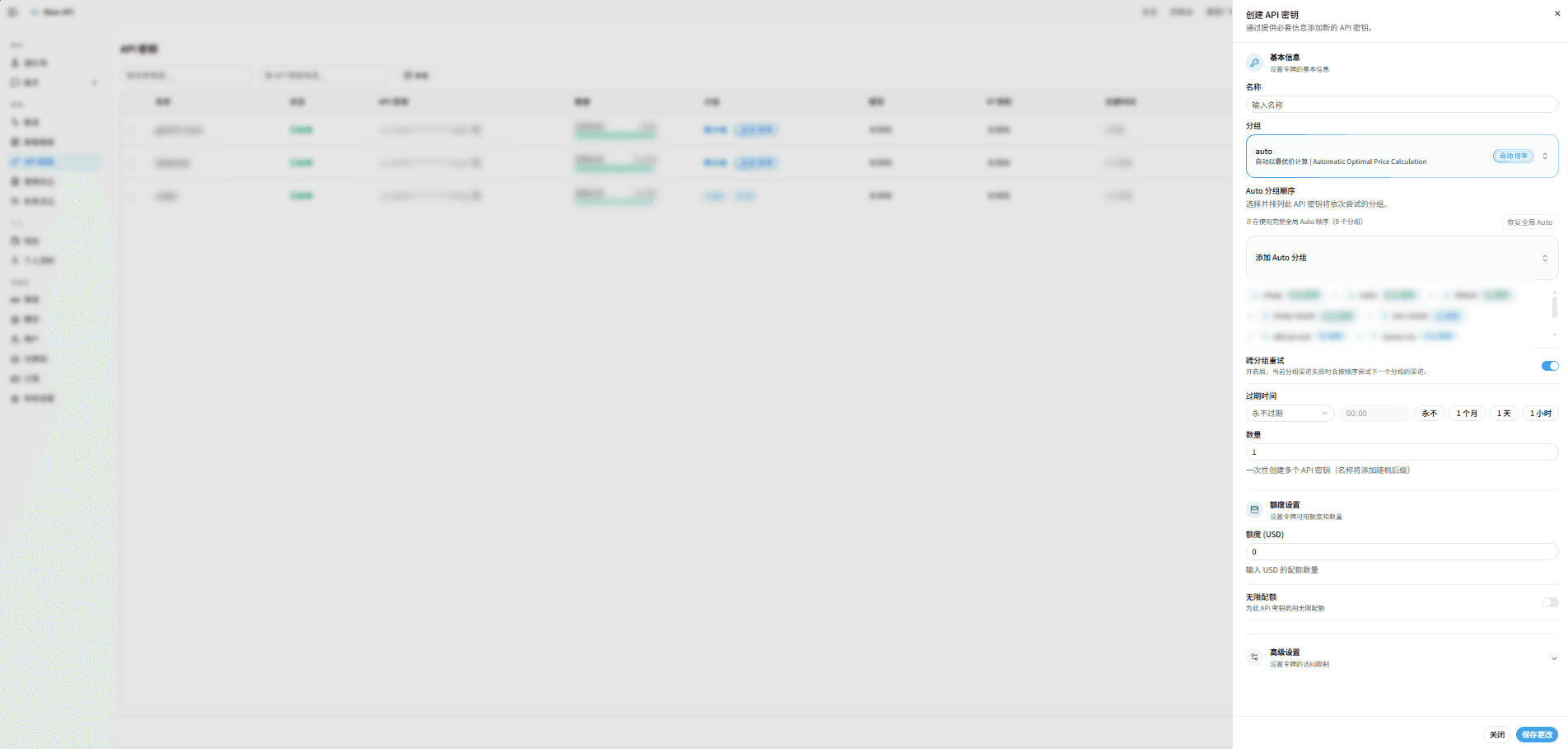
Configuration Item Description
| Setting | Function |
|---|---|
| Name | API Key Name (recommended to name by purpose, e.g., "Production Environment", "Test Use") |
| Group | Specify the channel group used by this token |
| Auto Group Order | Only displayed when the group is auto; can inherit Root's global order, or set key-level order. |
| Cross-Group Retry Switch | When enabled, if the current group channel fails, it will attempt the next group's channel in order. |
| Expiration Time | Refuse to use this key after expiration |
| Quantity | Multiple API keys can be created at once (a random suffix will be added to the name) |
| Quota | Restrict the quota that this key can consume |
| Unlimited Quota Switch | Enable unlimited quota for this API key when turned on |
| Model Restrictions | Restrict this token to call only specified models; leave blank for no restrictions |
| IP Whitelist | Supports filling in IP or CIDR line by line; leave blank for no restrictions; should be used with trusted reverse proxies/CDNs |
API keys are equivalent to passwords. Do not submit the complete key to code repositories, screenshots, logs, or chat tools; if you suspect a leak, immediately delete it and create a new key.
View and Copy API Keys
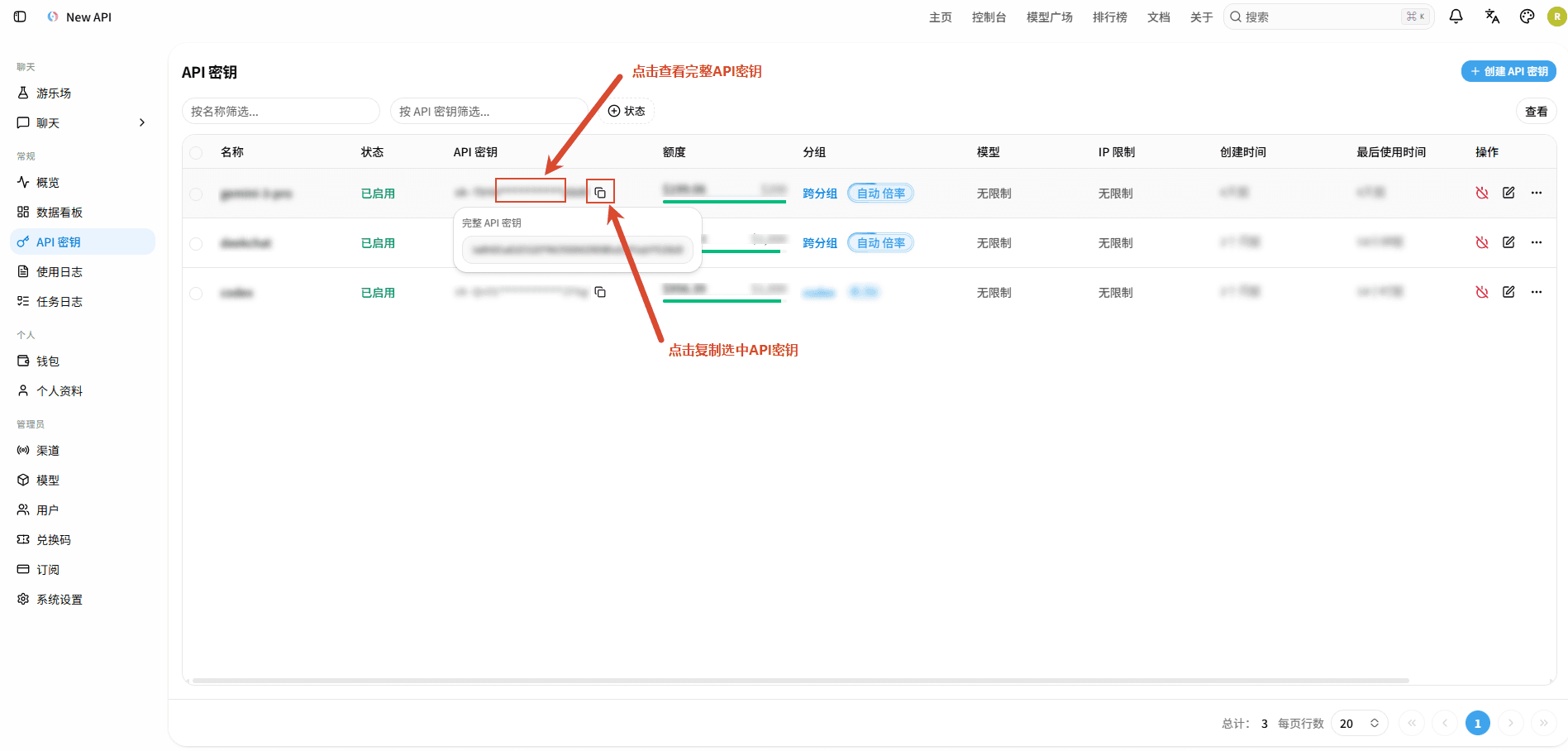
In the API key list, click the masked key to view and copy the complete value as prompted on the page. The complete key is a sensitive credential, and viewing it may require additional security verification.
'Copy Connection Info' will copy the key and platform address as application import information; click the target preset chat application in the left sidebar 'Chat', and the browser will attempt to launch the installed chat application and automatically jump to fill in the configuration information.
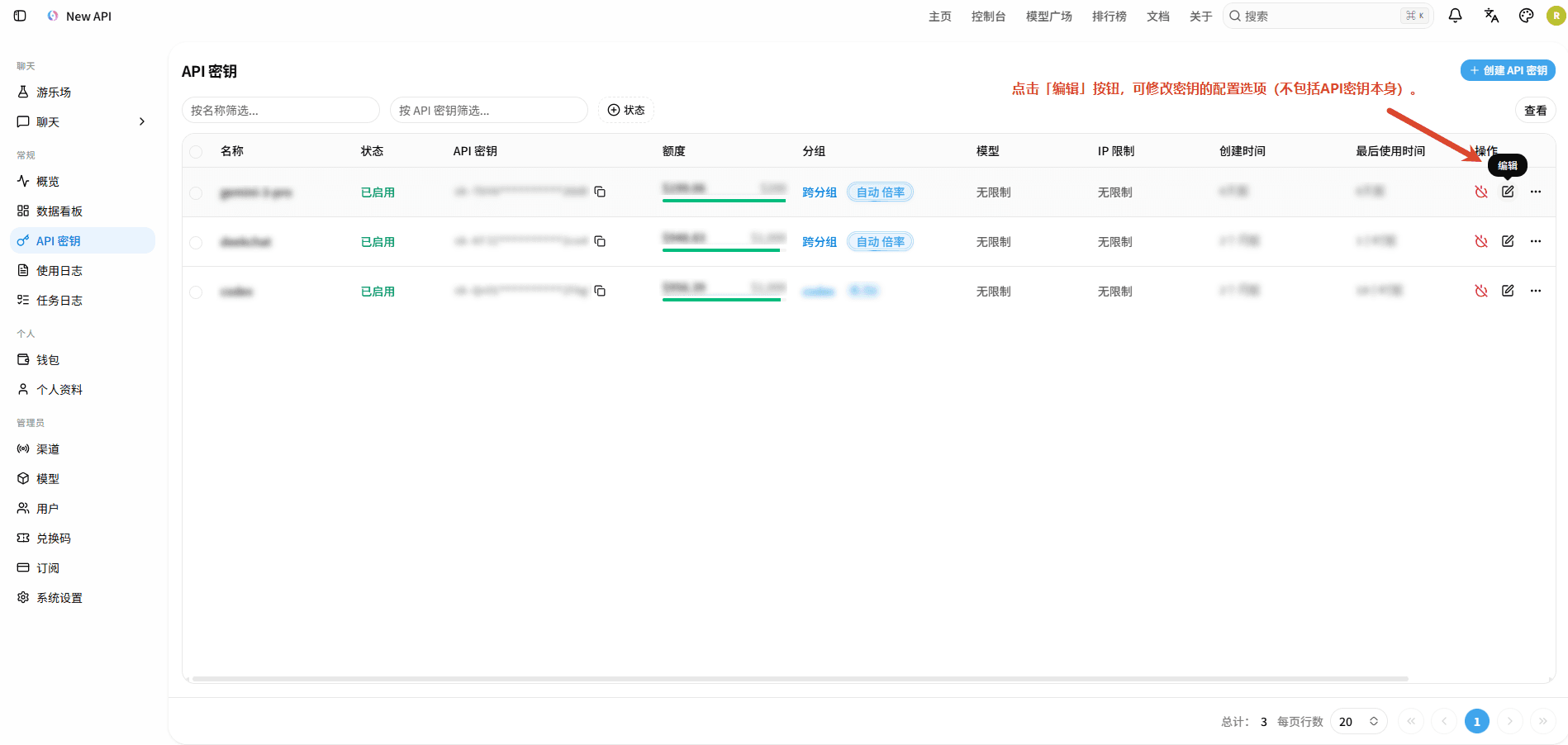
Edit API Keys
In the API key list, find the target key, click the 'Edit' button on the right to modify the key's configuration options (excluding the API key itself).
Enable, Disable, and Delete API Keys
You can enable, disable, or delete keys in the list row operations; multiple rows can be selected for batch deletion. Disabling retains the configuration and stops calls, while deleting is irreversible.
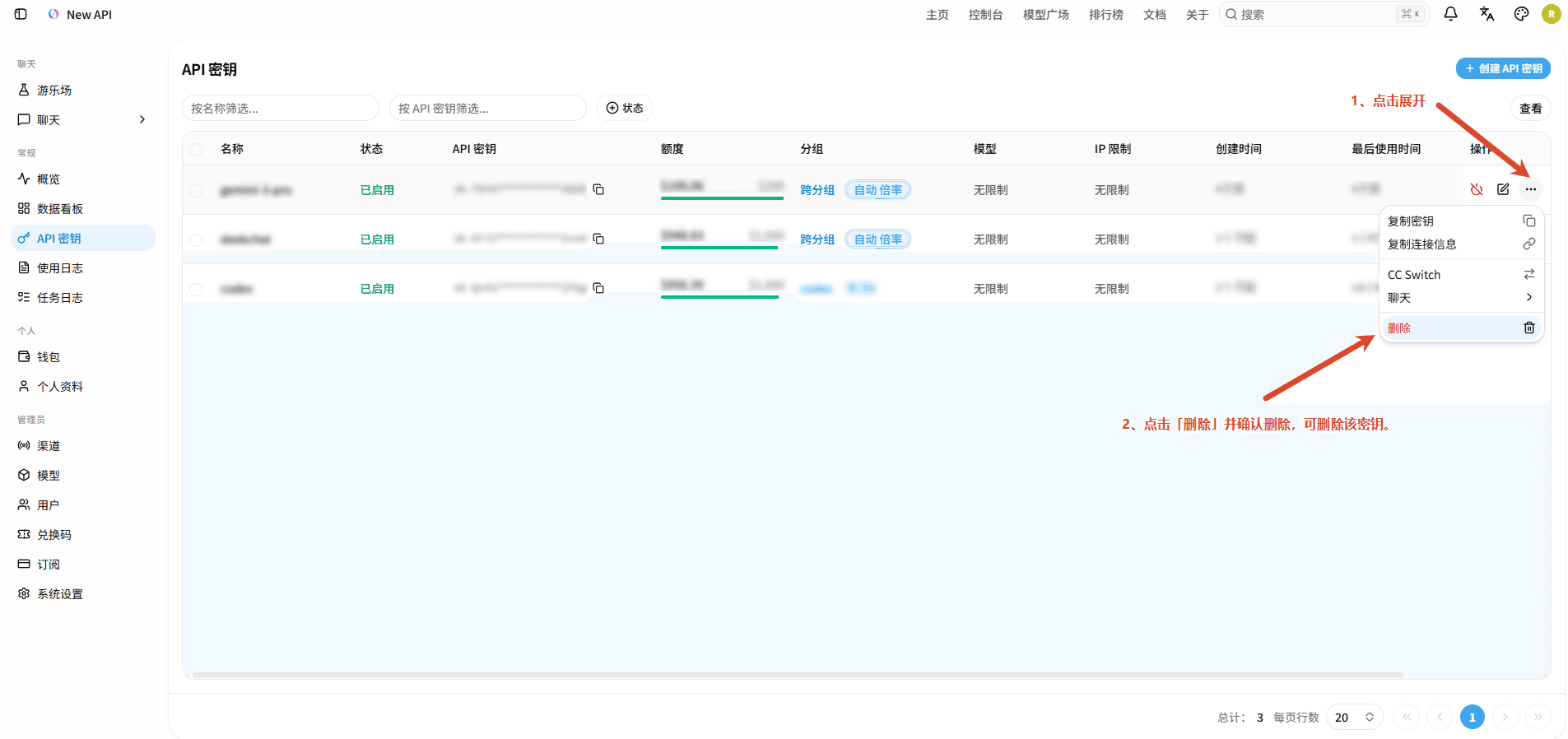
After deletion confirmation, the API key will immediately become invalid and cannot be recovered. Before deleting, please confirm the selected key to avoid accidentally deleting production keys.
How is this guide?
Last updated on
Profile and Security
View or manage account information, binding details, notification and behavior preferences, security settings, 2FA management, Passkey management, login session management, and other personal settings.
Using API and Playground
Use the playground to test and experience AI models online, and call New API via OpenAI-compatible interfaces.