
Admin Guide
Subscription Plan Management
Create and manage subscription plans
Create and manage subscription plans, control which plans are visible to users, and manually activate subscriptions for users. After logging in with an administrator account, directly access /console/subscription (the administrator's view differs from the user's purchase interface).
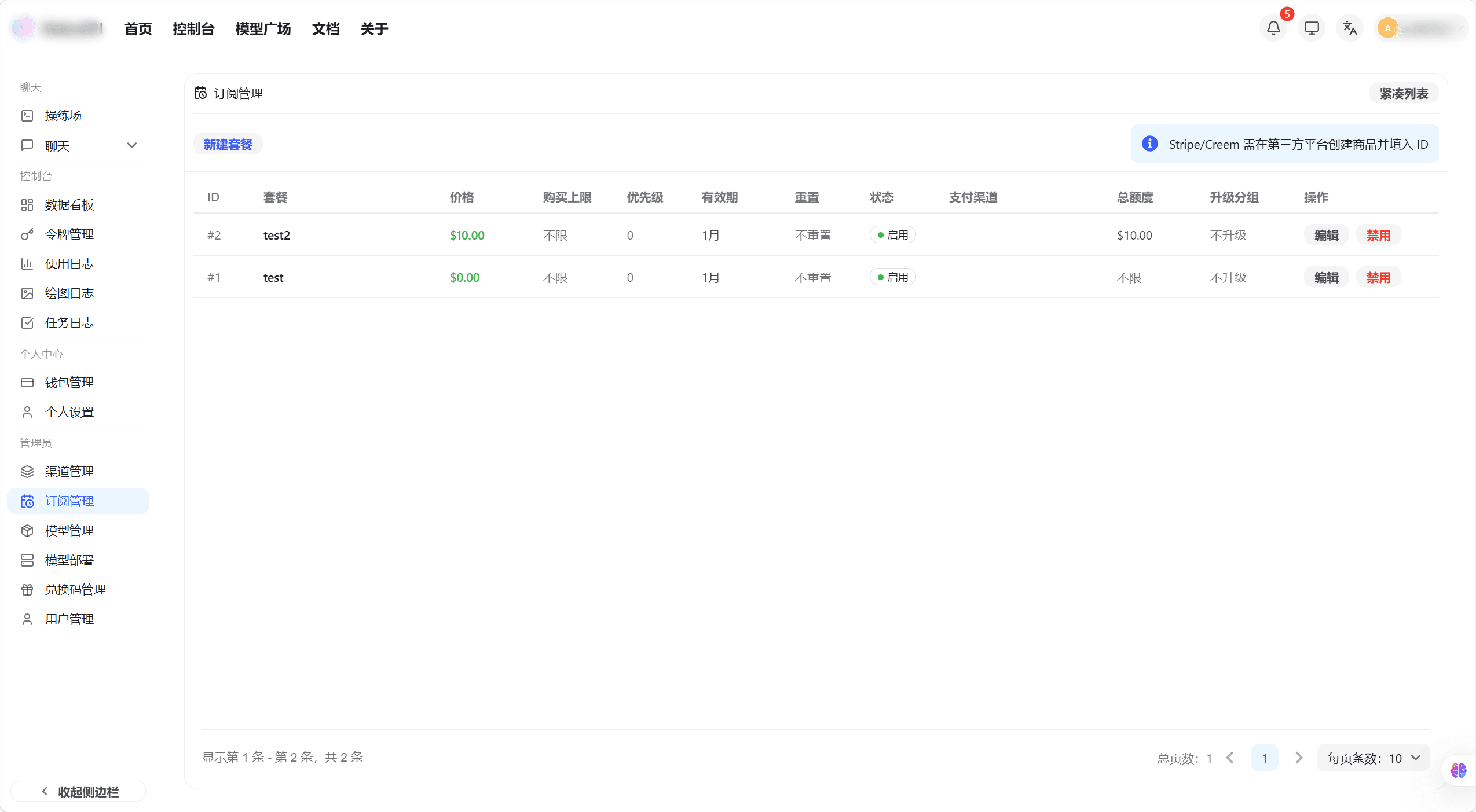
The plan list displays all created subscription plans, including name, price, validity period, status (published / unpublished), and other information.
Create a Plan
- On the subscription management page, click the "Create Plan" button to open the creation pop-up window.
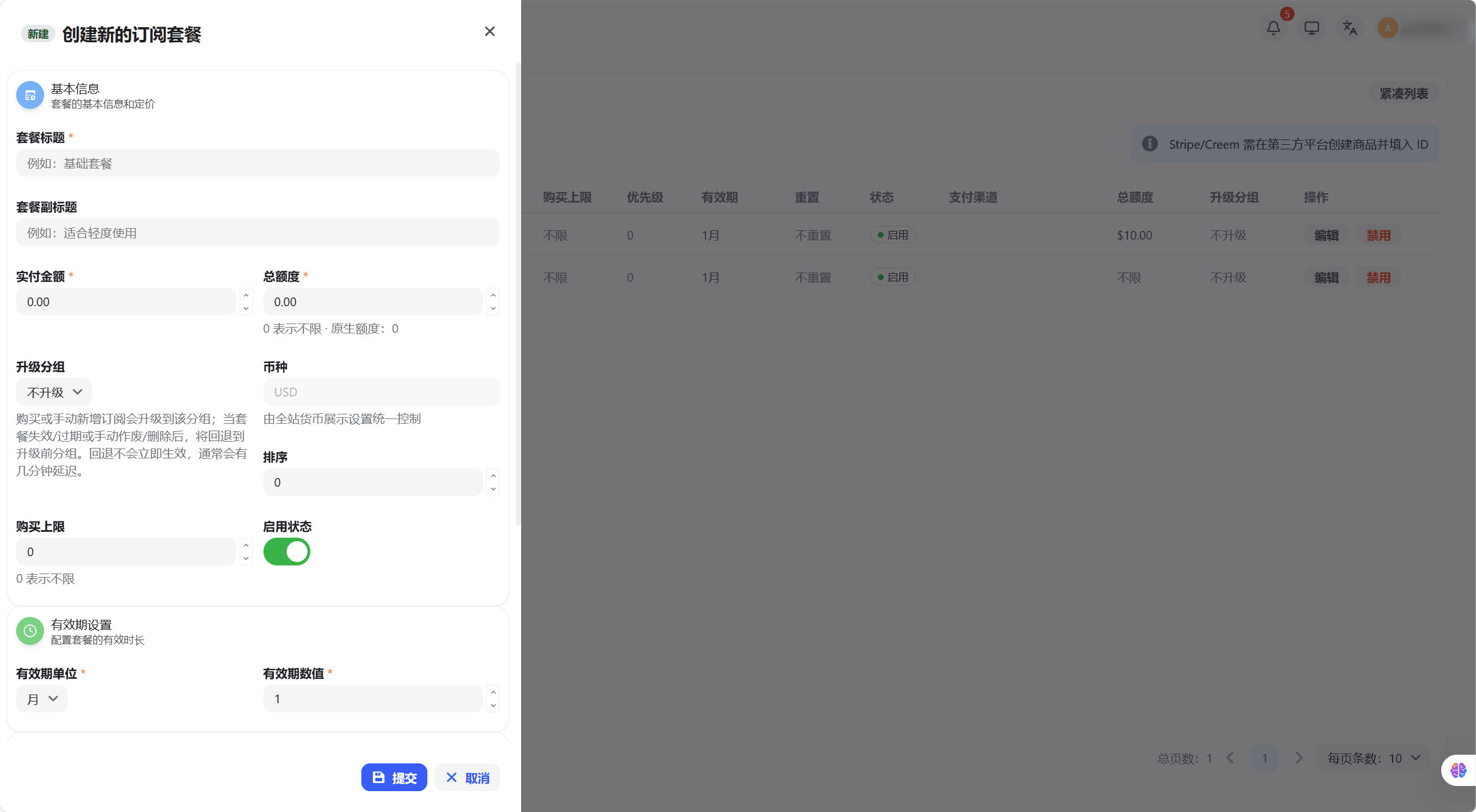
- Fill in the following information:
- Plan Name: The name users see when purchasing.
- Price: The selling price of the plan.
- Validity Period Type: Select Year / Month / Day / Hour / Custom Duration (seconds).
- Included Quota: The amount of quota included in the plan.
- Click "Submit" to complete plan creation; the plan will be in an unpublished state by default.
Publish / Unpublish a Plan
- In the plan list, find the target plan and click the "Publish" or "Unpublish" button on the right.
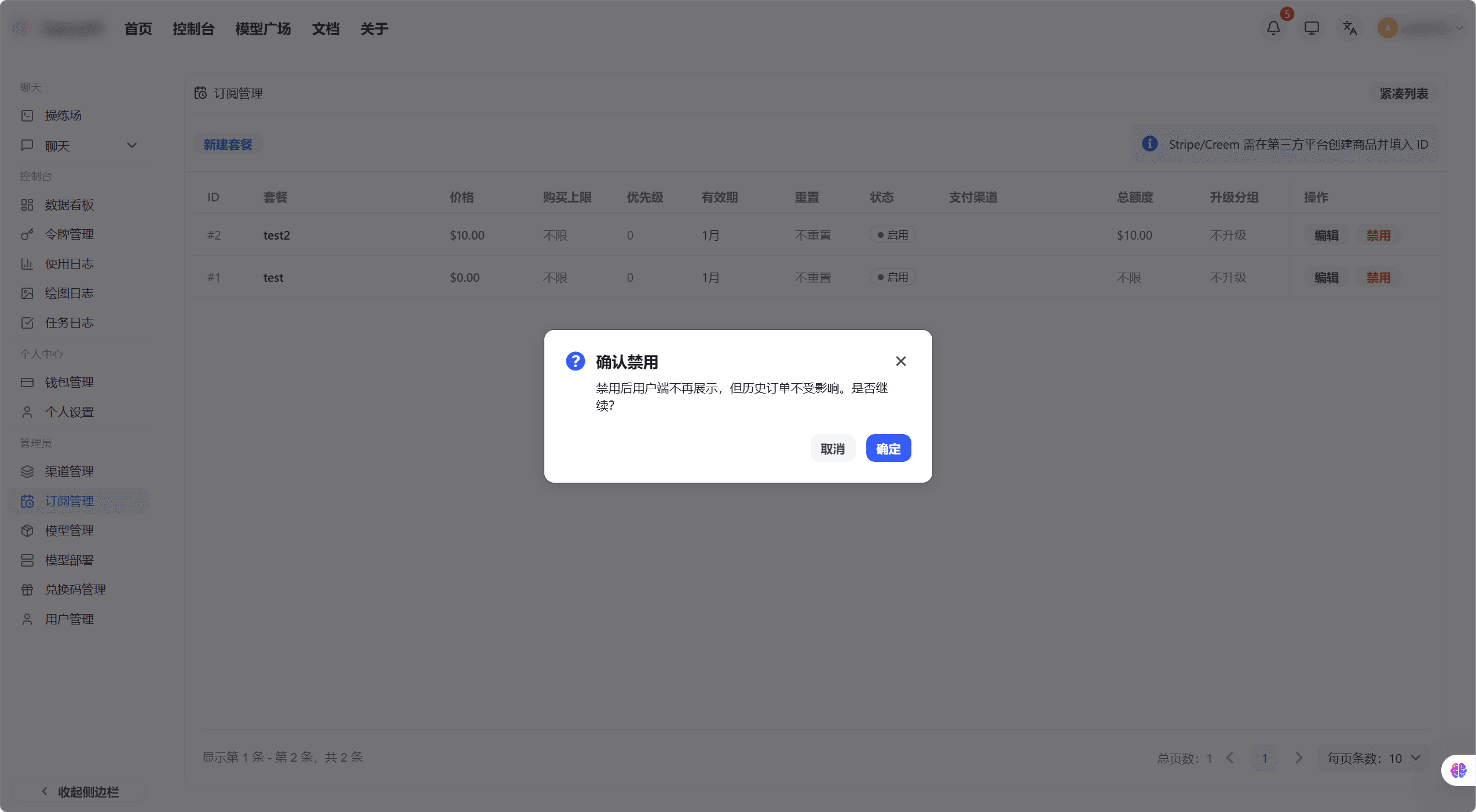
- After publishing, users can see and purchase the plan on the subscription page; after unpublishing, the plan is not visible to users, but existing subscriptions are unaffected.
Manually Activate Subscriptions for Users
- On the subscription management page, click the "Manual Binding" button.
- Enter the target username or email, and select the plan to activate.
- Click "Confirm", and the system will create a subscription record for the user, which takes effect immediately.
How is this guide?
Last updated on